
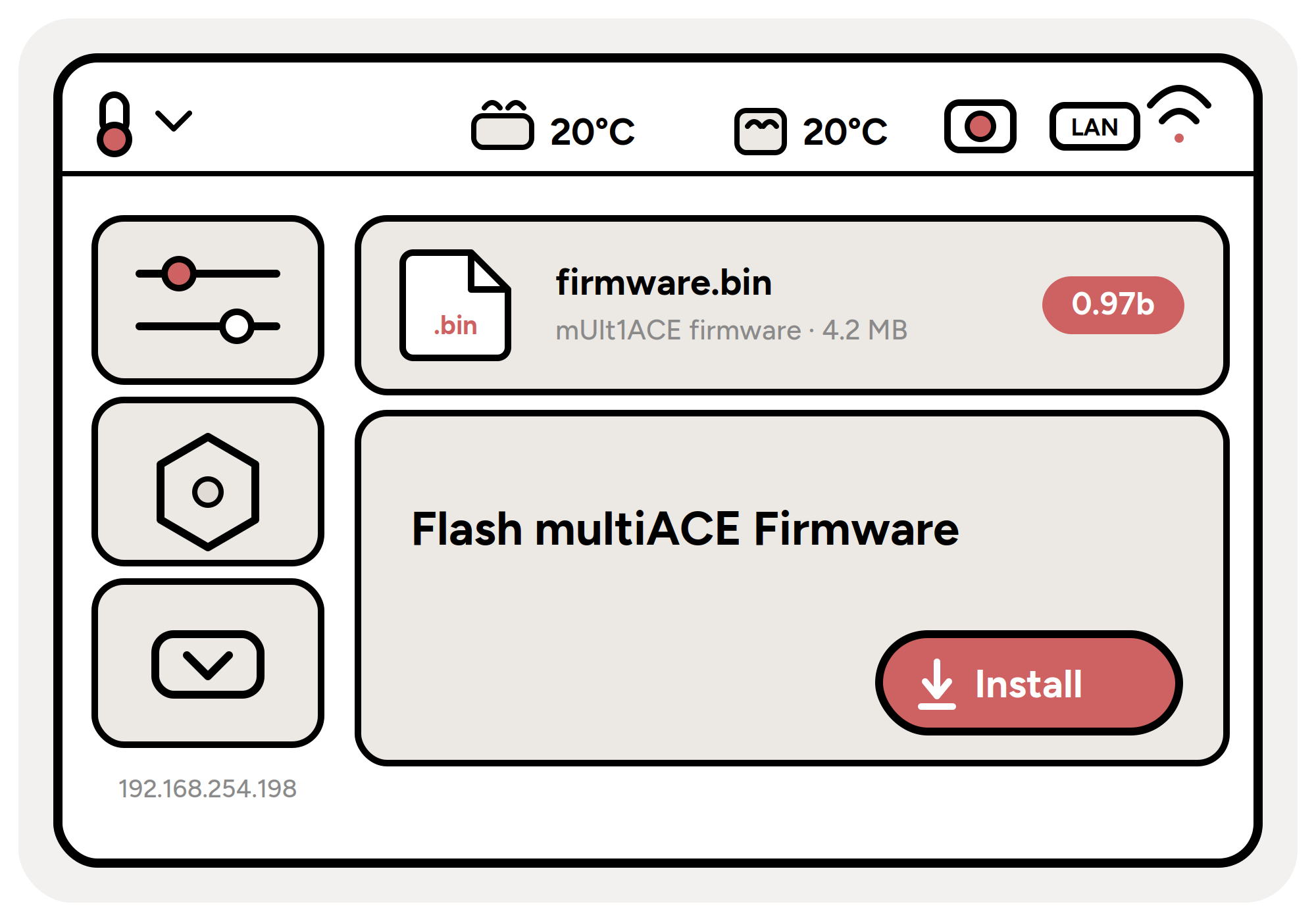
Installing the mUlt1ACE firmware is quick and needs no tools or terminal. Just grab one of the firmware files above, picking the build that matches the PAXX firmware you want to use as your base, and follow the steps below.
-
1Save the firmware to a USB stick
Copy the downloaded
.binfile onto a USB stick that is formatted as FAT (FAT32). -
2Plug it into the printer
Insert the USB stick into the rear USB port of your Snapmaker U1.
-
3Open Settings
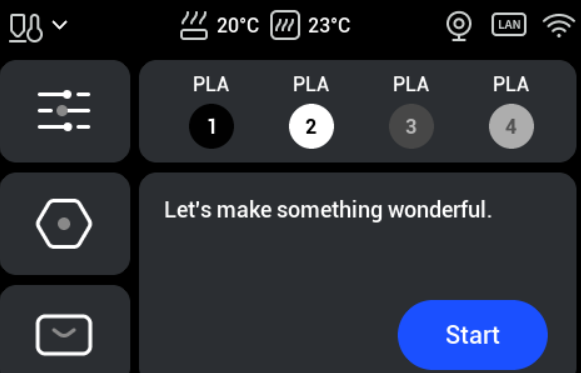
On the printer's display, tap Settings (the icon on the left, in the middle).
-
4Go to About
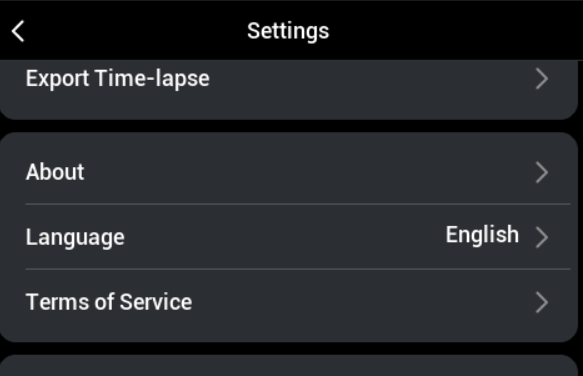
Scroll down until you reach About, then tap it.
-
5Tap the firmware version
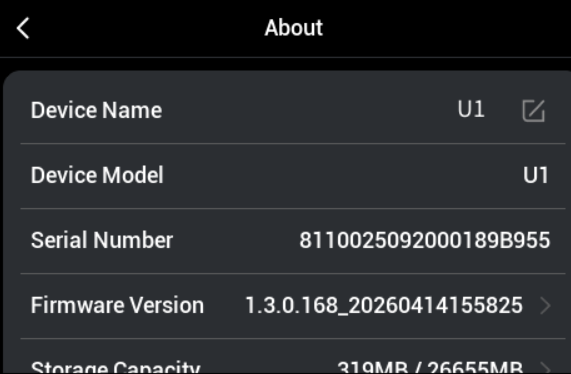
Tap the number shown next to Firmware Version.
-
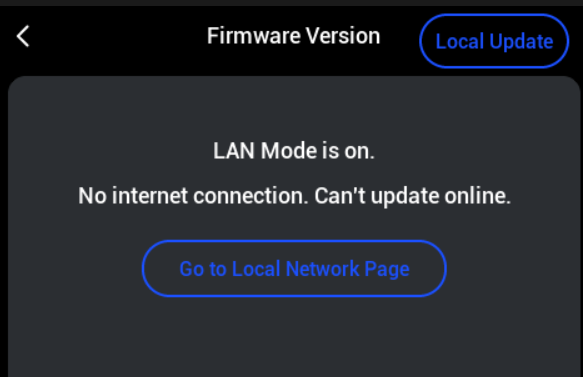
6Start a local update
In the top right corner, tap Local Update.
-
7Select the firmware file
Pick the
.binfile you just saved to the USB stick.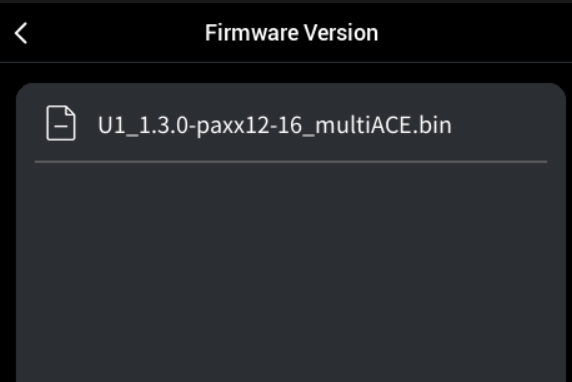
-
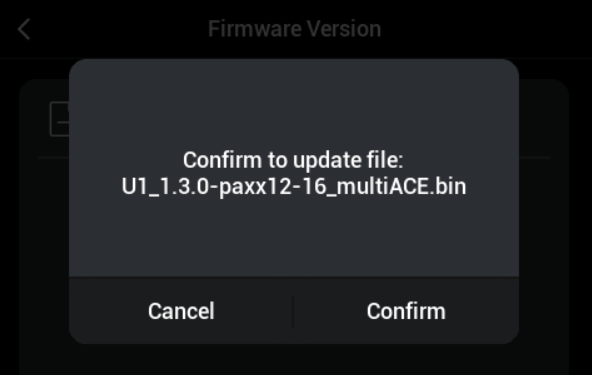
8Confirm
Tap Confirm to start the installation.
-
9Open Settings again
Once the printer has rebooted, open Settings again (same icon as in step 3).
-
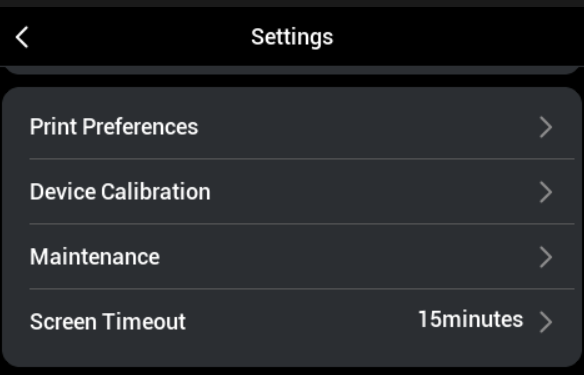
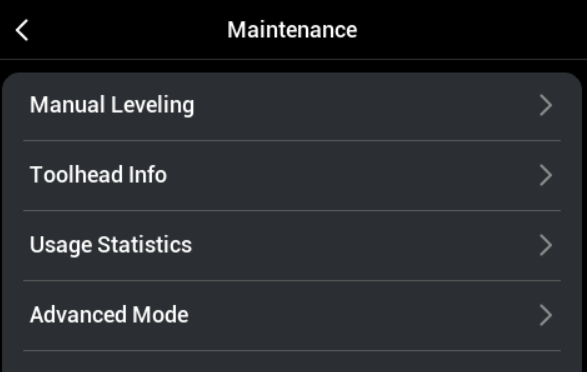
10Go to Maintenance
Scroll down until you reach Maintenance.
-
11Open Advanced Mode
Tap Advanced Mode.
-
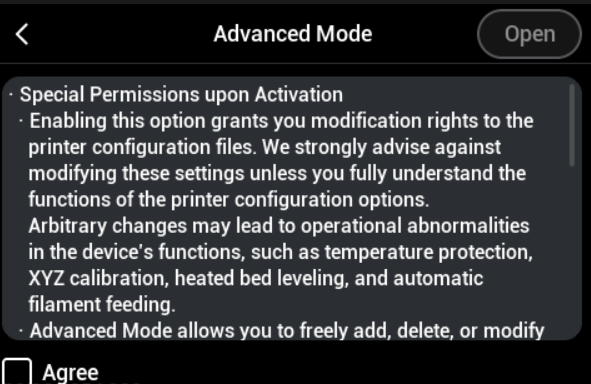
12Agree and open
Select Agree, then tap Open.
That's it. mUlt1ACE is now installed on your Snapmaker U1.