
The Spools tab opens the spool management. Depending on the setting in the
config section, it runs in one of the following modes.
Local
Here you can view and edit the spools known to the system, assign them to an ACE slot, and
create new ones.
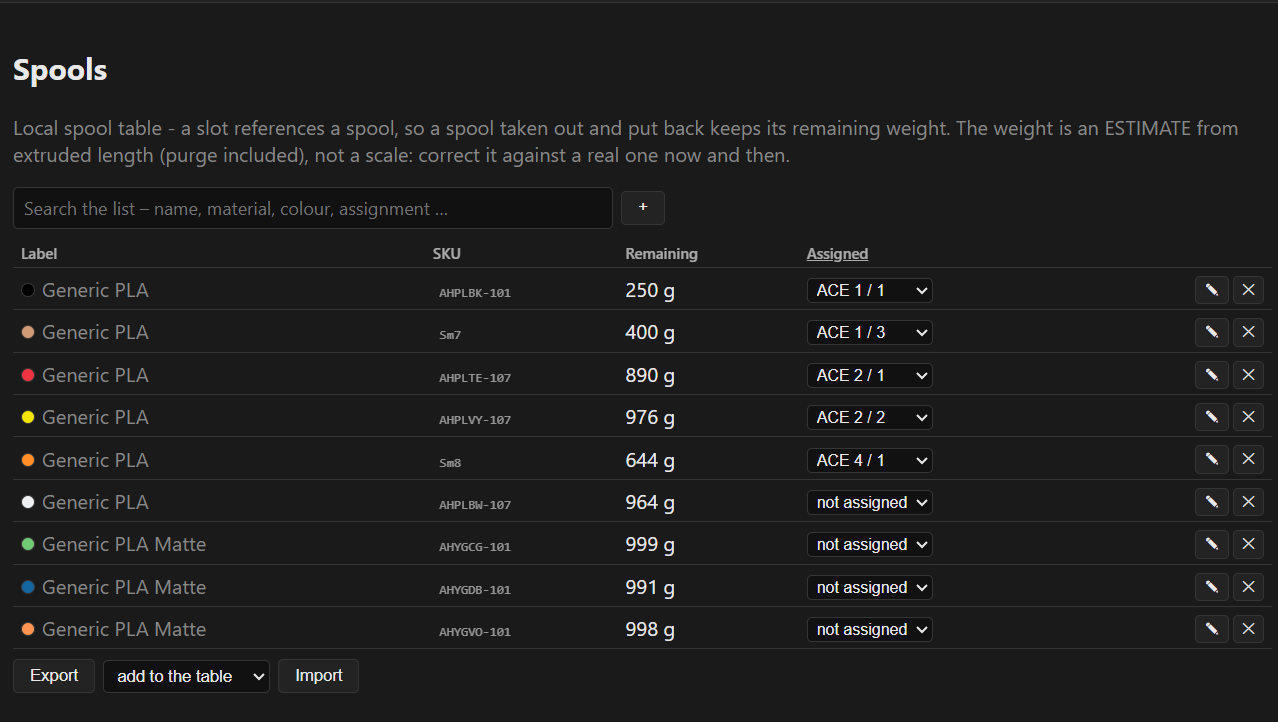
Spools assigned in the spool management show up as SPOOL in the dashboard, and
only here is the weight deducted live.
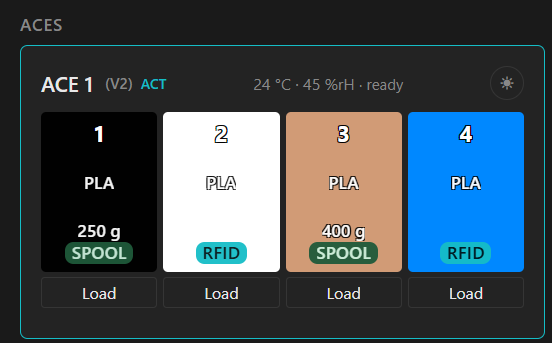
To enable automatic assignment via RFID, the SKU field on the RFID tag is matched
against the local SKU field. A manual assignment, or creating a new entry for an
unknown SKU, is done through the filament editor in the dashboard.

Spoolman and Spoollink
In these modes the Spools tab only displays the assigned spools and lets you re-assign them.
Creating and editing, apart from the weight reduction, happens in Spoolman. In the dashboard
the spool shows up as SM or SL depending on the mode.
Spoolman talks directly to Spoolman. Spoollink works through
the Spoollink integration, for example in the PAXX firmware.
Automatic assignment in these modes.
The SKU field has to hold either the Spoolman ID or the Cards_uid. The ACE units
unfortunately neither read nor export this field.